> ## Documentation Index
> Fetch the complete documentation index at: https://docs.tilebox.com/llms.txt
> Use this file to discover all available pages before exploring further.
# Authentication
> To access the Tilebox API, you must authenticate your requests. This guide explains how authentication works, focusing on API keys used as bearer tokens.
## Creating an API key
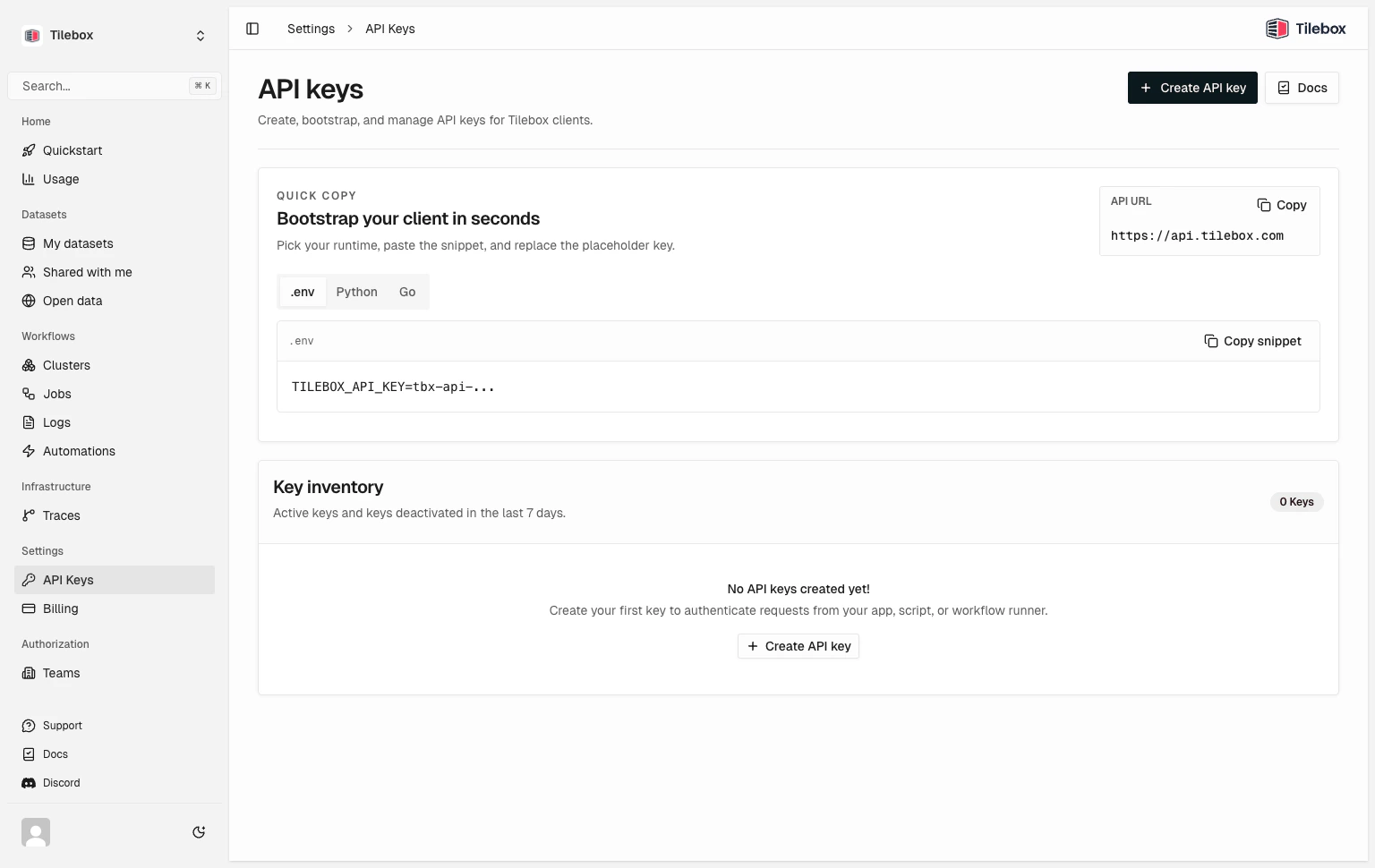
To create an API key, log into the [Tilebox Console](https://console.tilebox.com). Navigate to [Settings -> API Keys](https://console.tilebox.com/settings/api-keys) and click the "Create API Key" button.
Keep your API keys secure. Deactivate any keys if you suspect they have been compromised.
 ## Set up environment variable
Set `TILEBOX_API_KEY` in your shell environment (optional but recommended). That way, the [Tilebox CLI](/agents-and-ai-tools/tilebox-cli) and SDK clients automatically pick it up.
The following commands persist the variable for future terminal sessions and also make it available in the current session.
```bash Bash theme={"system"}
echo 'export TILEBOX_API_KEY=""' >> ~/.bashrc
source ~/.bashrc
```
```zsh Zsh theme={"system"}
echo 'export TILEBOX_API_KEY=""' >> ~/.zshrc
source ~/.zshrc
```
```fish Fish theme={"system"}
set -Ux TILEBOX_API_KEY ""
```
```powershell PowerShell theme={"system"}
[Environment]::SetEnvironmentVariable("TILEBOX_API_KEY", "", "User")
$env:TILEBOX_API_KEY = ""
```
Open a new terminal after setting the variable to confirm your shell loads it automatically.
## Manual SDK authentication
In case you didn't configure your shell environment, you can also pass your API key as the `token` parameter when creating an instance of the SDK clients.
```python Python theme={"system"}
from tilebox.datasets import Client as DatasetsClient
from tilebox.workflows import Client as WorkflowsClient
datasets_client = DatasetsClient(token="")
workflows_client = WorkflowsClient(token="")
```
```go Go theme={"system"}
import (
"github.com/tilebox/tilebox-go/datasets/v1"
"github.com/tilebox/tilebox-go/workflows/v1"
)
datasetsClient := datasets.NewClient(datasets.WithAPIKey(""))
workflowsClient := workflows.NewClient(workflows.WithAPIKey(""))
```
If you set your API key as an environment variable named `TILEBOX_API_KEY`, you can skip the token parameter when creating a client.
## Set up environment variable
Set `TILEBOX_API_KEY` in your shell environment (optional but recommended). That way, the [Tilebox CLI](/agents-and-ai-tools/tilebox-cli) and SDK clients automatically pick it up.
The following commands persist the variable for future terminal sessions and also make it available in the current session.
```bash Bash theme={"system"}
echo 'export TILEBOX_API_KEY=""' >> ~/.bashrc
source ~/.bashrc
```
```zsh Zsh theme={"system"}
echo 'export TILEBOX_API_KEY=""' >> ~/.zshrc
source ~/.zshrc
```
```fish Fish theme={"system"}
set -Ux TILEBOX_API_KEY ""
```
```powershell PowerShell theme={"system"}
[Environment]::SetEnvironmentVariable("TILEBOX_API_KEY", "", "User")
$env:TILEBOX_API_KEY = ""
```
Open a new terminal after setting the variable to confirm your shell loads it automatically.
## Manual SDK authentication
In case you didn't configure your shell environment, you can also pass your API key as the `token` parameter when creating an instance of the SDK clients.
```python Python theme={"system"}
from tilebox.datasets import Client as DatasetsClient
from tilebox.workflows import Client as WorkflowsClient
datasets_client = DatasetsClient(token="")
workflows_client = WorkflowsClient(token="")
```
```go Go theme={"system"}
import (
"github.com/tilebox/tilebox-go/datasets/v1"
"github.com/tilebox/tilebox-go/workflows/v1"
)
datasetsClient := datasets.NewClient(datasets.WithAPIKey(""))
workflowsClient := workflows.NewClient(workflows.WithAPIKey(""))
```
If you set your API key as an environment variable named `TILEBOX_API_KEY`, you can skip the token parameter when creating a client.