> ## Documentation Index
> Fetch the complete documentation index at: https://docs.tilebox.com/llms.txt
> Use this file to discover all available pages before exploring further.
# Product Updates
> New Tilebox features, product improvements, and workflow capabilities as they ship.
 ## Agentic Workflows
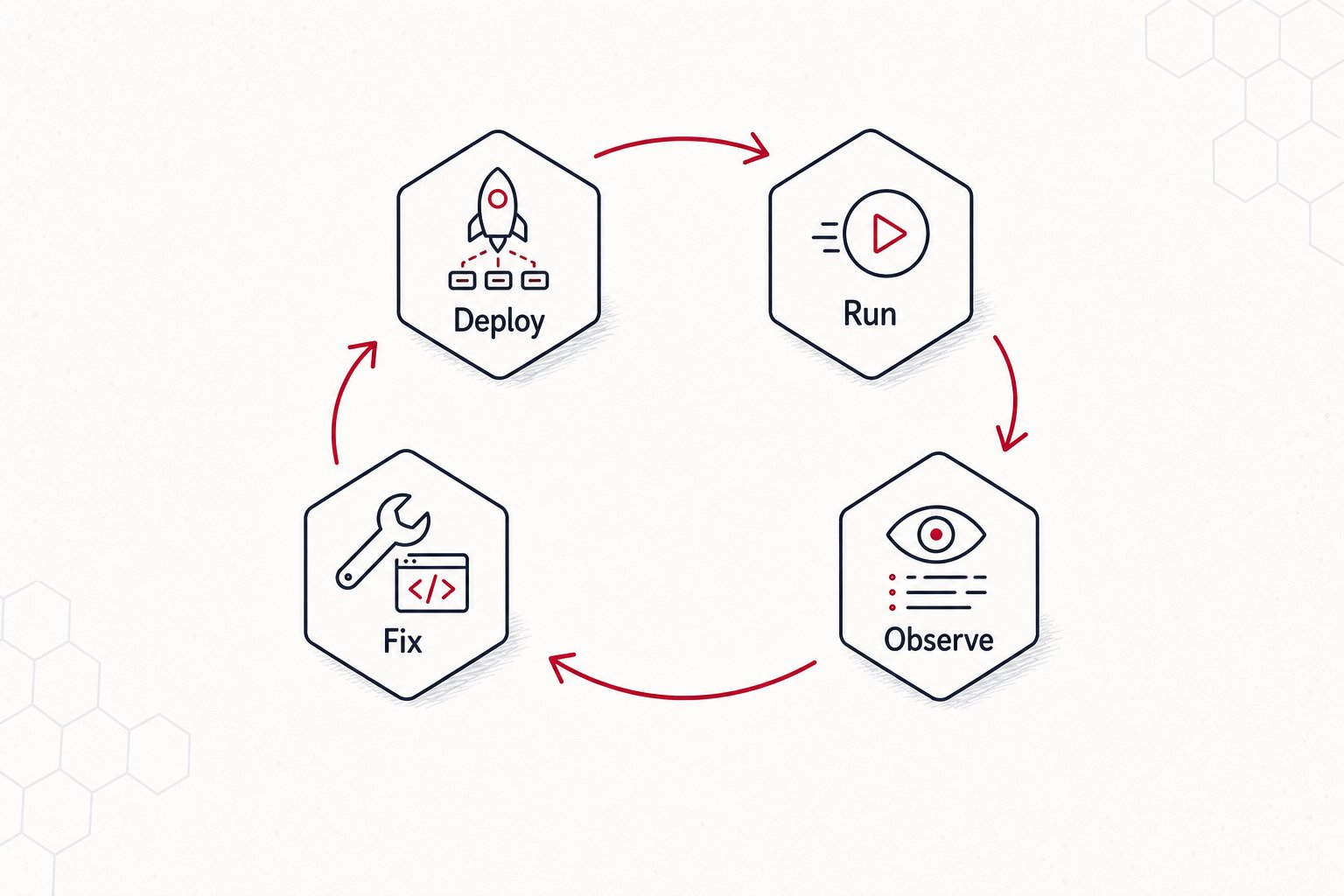
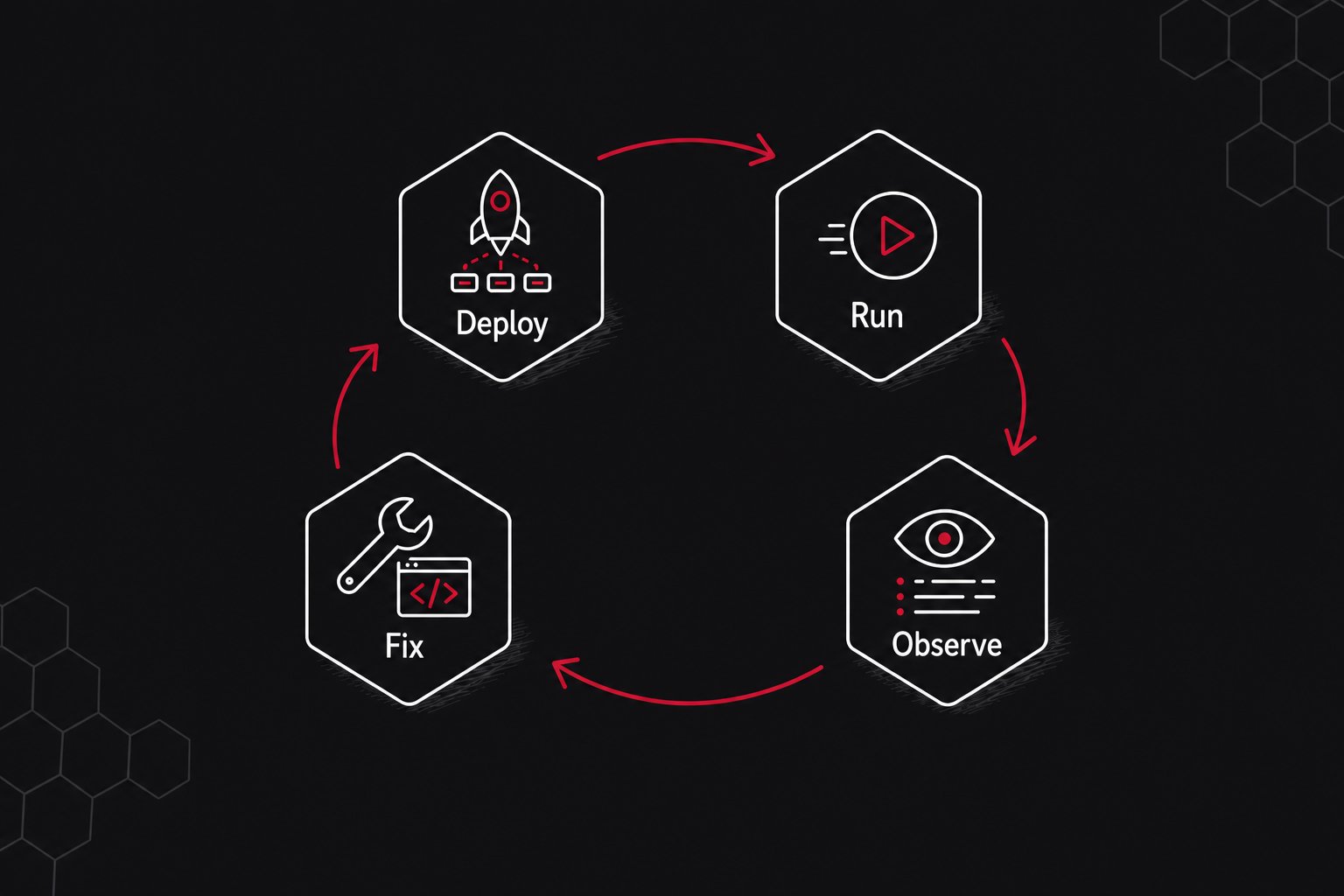
Tilebox Workflows now supports workflow release publishing and cluster deployments. This adds a new release-based execution path to the workflow orchestrator: package a Python workflow project, publish an immutable release, deploy it to a cluster, run it on release runners, and inspect the resulting job logs and execution traces.
The release path is designed for closed-loop workflow iteration by developers and agents. An agent can edit workflow code, publish a release, deploy it to a development cluster, submit a test job, inspect the failed task logs or spans, apply a fix, and retry or submit the next job without leaving the same command-line workflow.
A typical iteration looks like this:
```bash theme={"system"}
tilebox workflow publish-release --json
tilebox workflow deploy-release --latest --target production --json
tilebox job submit --task tilebox.com/example/ProcessScene --cluster workflow-dev --json
tilebox job wait
tilebox job logs --json
```
### What changed
* **Release runners.** Release runners run in an environment you control, watch a cluster, load the deployed releases for that cluster, and execute compatible tasks without rebuilding the runner process for every workflow code change.
* **Workflow release publishing.** A workflow is now a long-lived object with a stable slug, and each release captures a concrete version of the workflow project, runtime entrypoint, selected files, and discovered task identifiers.
* **Project-local workflow configuration.** `tilebox.workflow.toml` binds a repository directory to a workflow slug, build inputs, runtime entrypoint, and optional deployment targets, so commands can use the local project as context.
* **Cluster deployments.** Publishing and deploying are separate steps. A release can be deployed to one or more clusters, and different clusters can run different releases of the same workflow.
### Start here
Use an AI coding agent to edit, publish, deploy, run, inspect, and retry workflow releases.
Configure `tilebox.workflow.toml`, release contents, runtime entrypoints, and deployment targets.
## Agentic Workflows
Tilebox Workflows now supports workflow release publishing and cluster deployments. This adds a new release-based execution path to the workflow orchestrator: package a Python workflow project, publish an immutable release, deploy it to a cluster, run it on release runners, and inspect the resulting job logs and execution traces.
The release path is designed for closed-loop workflow iteration by developers and agents. An agent can edit workflow code, publish a release, deploy it to a development cluster, submit a test job, inspect the failed task logs or spans, apply a fix, and retry or submit the next job without leaving the same command-line workflow.
A typical iteration looks like this:
```bash theme={"system"}
tilebox workflow publish-release --json
tilebox workflow deploy-release --latest --target production --json
tilebox job submit --task tilebox.com/example/ProcessScene --cluster workflow-dev --json
tilebox job wait
tilebox job logs --json
```
### What changed
* **Release runners.** Release runners run in an environment you control, watch a cluster, load the deployed releases for that cluster, and execute compatible tasks without rebuilding the runner process for every workflow code change.
* **Workflow release publishing.** A workflow is now a long-lived object with a stable slug, and each release captures a concrete version of the workflow project, runtime entrypoint, selected files, and discovered task identifiers.
* **Project-local workflow configuration.** `tilebox.workflow.toml` binds a repository directory to a workflow slug, build inputs, runtime entrypoint, and optional deployment targets, so commands can use the local project as context.
* **Cluster deployments.** Publishing and deploying are separate steps. A release can be deployed to one or more clusters, and different clusters can run different releases of the same workflow.
### Start here
Use an AI coding agent to edit, publish, deploy, run, inspect, and retry workflow releases.
Configure `tilebox.workflow.toml`, release contents, runtime entrypoints, and deployment targets.
 ## Workflow Observability
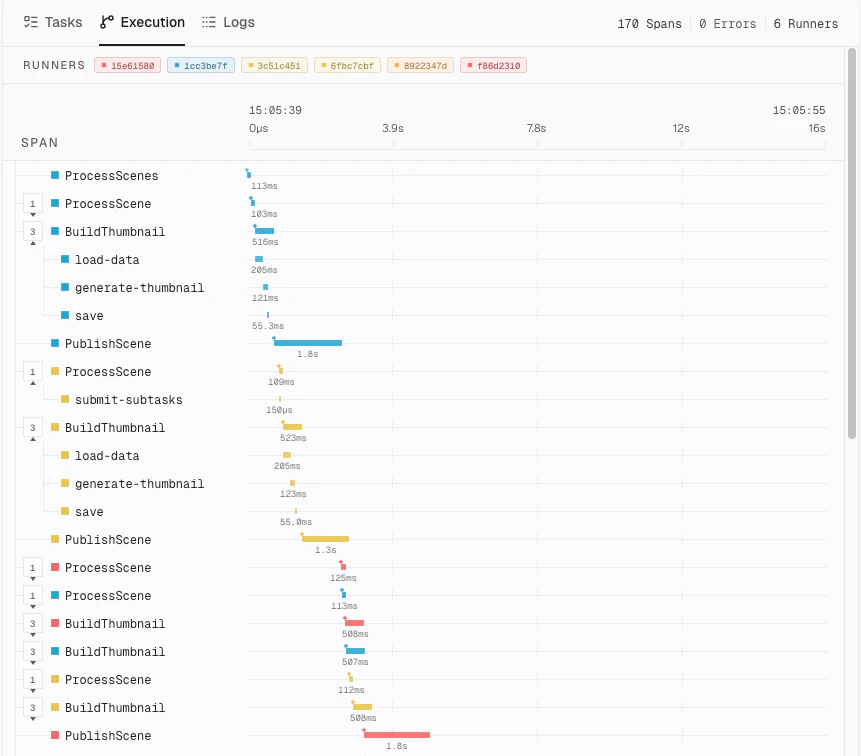
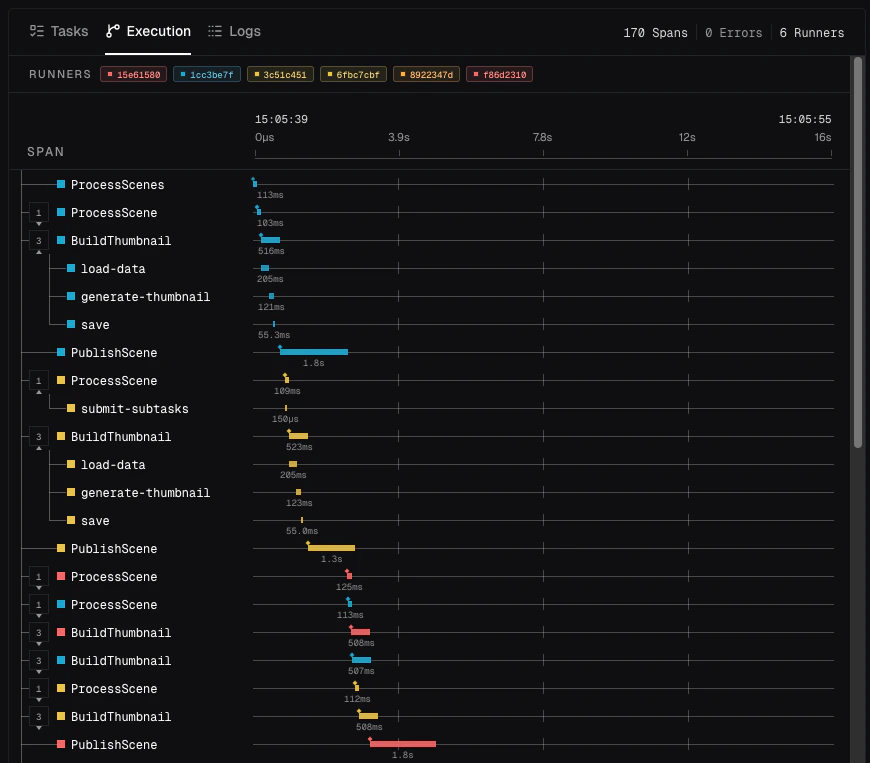
Tilebox Workflows now includes built-in observability for jobs and runners. Tilebox captures workflow logs, traces, task status, and runner context, then correlates them with jobs and tasks.
The Console includes a built-in explorer for workflow observability, so you can inspect task logs, trace timing, failures, and runner behavior from the job view.
See the [Workflow observability documentation](/workflows/run-and-inspect/introduction) for examples and integration options.
## Workflow Observability
Tilebox Workflows now includes built-in observability for jobs and runners. Tilebox captures workflow logs, traces, task status, and runner context, then correlates them with jobs and tasks.
The Console includes a built-in explorer for workflow observability, so you can inspect task logs, trace timing, failures, and runner behavior from the job view.
See the [Workflow observability documentation](/workflows/run-and-inspect/introduction) for examples and integration options.
 ## Optional Tasks
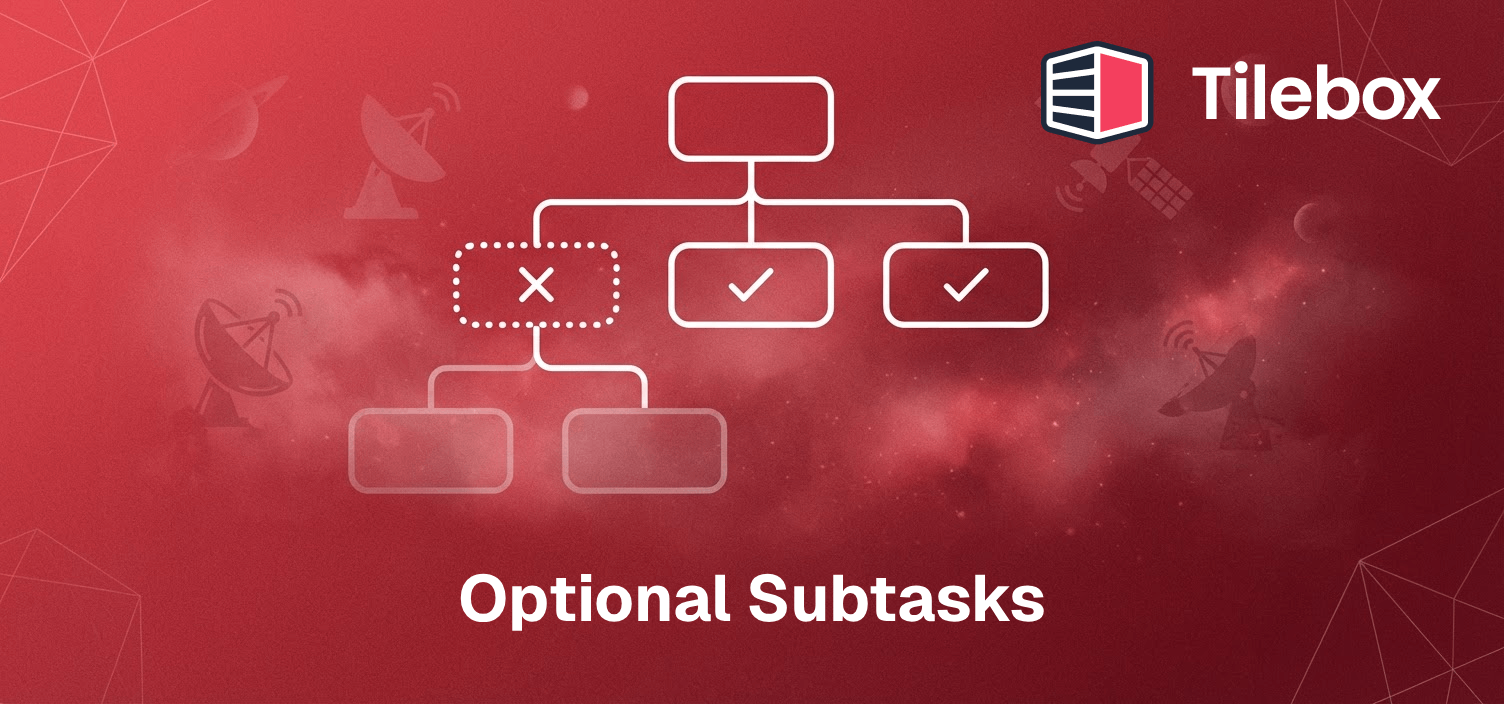
Subtasks can now be marked as **optional** when submitting them. If an optional task fails, the job continues instead of being canceled. Failed optional tasks are marked with the state `FAILED_OPTIONAL`, and any remaining queued sibling tasks in the same optional subtask tree are automatically `SKIPPED`. Tasks that depend on an optional task still execute even if it failed.
This is useful for workflows where certain steps are not critical and their failure should not prevent the rest of the job from completing.
See the [optional tasks documentation](/workflows/concepts/tasks#optional-tasks) for details and examples.
## Optional Tasks
Subtasks can now be marked as **optional** when submitting them. If an optional task fails, the job continues instead of being canceled. Failed optional tasks are marked with the state `FAILED_OPTIONAL`, and any remaining queued sibling tasks in the same optional subtask tree are automatically `SKIPPED`. Tasks that depend on an optional task still execute even if it failed.
This is useful for workflows where certain steps are not critical and their failure should not prevent the rest of the job from completing.
See the [optional tasks documentation](/workflows/concepts/tasks#optional-tasks) for details and examples.
 ## MCP Server for Datasets and Workflows
Introducing the [Tilebox MCP server](/agents-and-ai-tools/tilebox-mcp), which provides tools for AI agents to access and interact with Tilebox datasets and workflows.
## Job List View: Complete Redesign and Filtering Improvements
## MCP Server for Datasets and Workflows
Introducing the [Tilebox MCP server](/agents-and-ai-tools/tilebox-mcp), which provides tools for AI agents to access and interact with Tilebox datasets and workflows.
## Job List View: Complete Redesign and Filtering Improvements
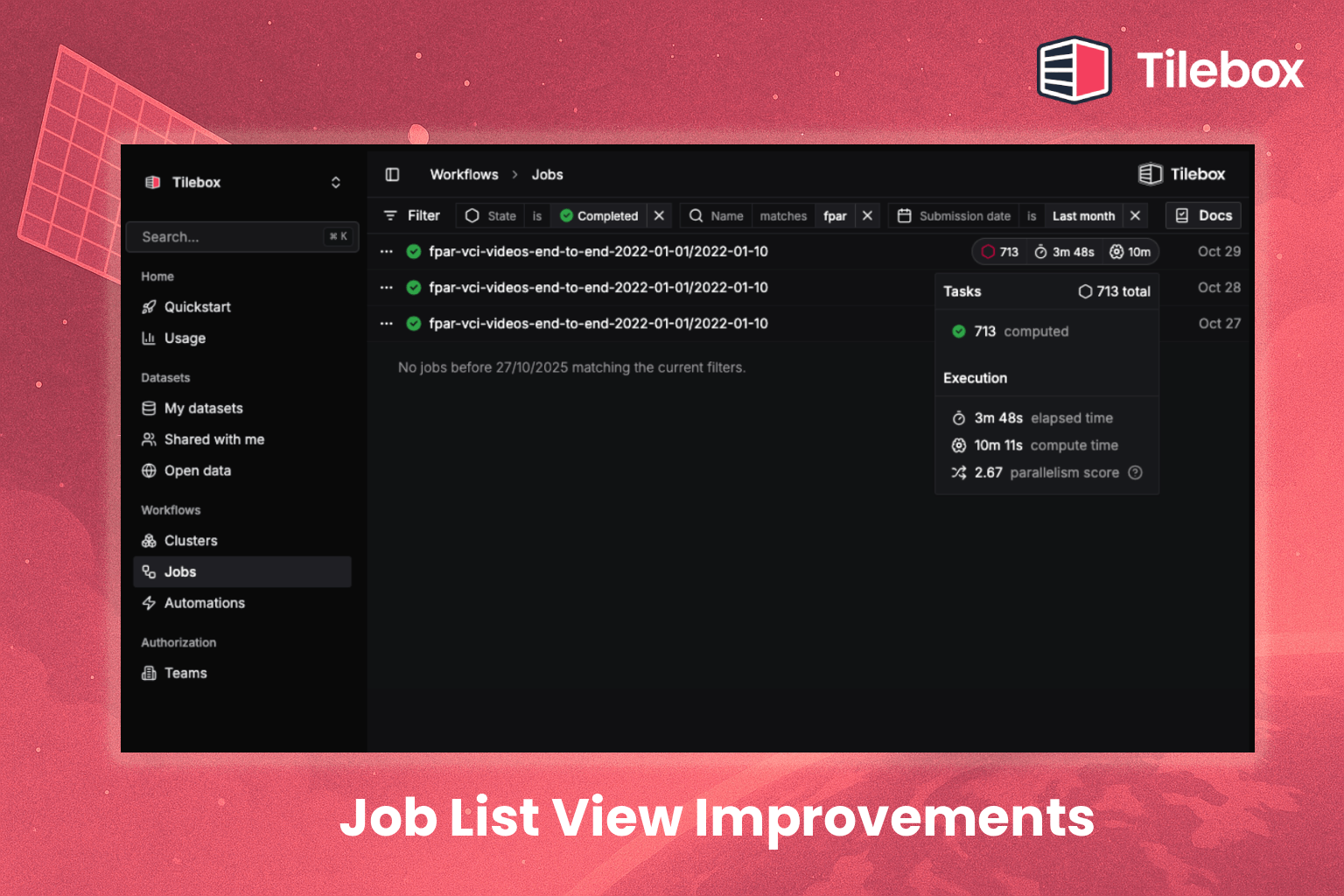 The job list view in the Tilebox Console has been completely redesigned:
* Infinite scrolling for long job lists
* Improved filtering and search
* Filter by state
* Filter by automation
* Filter by time range
* Filter by name
* Or an arbitrary combination of the above
* Better readability and organization
* Added progress indicators
* Added execution stats
* The same new filter options are also available in our [Language SDKs](/sdks)
## Spatio-Temporal Explorer Redesign
The job list view in the Tilebox Console has been completely redesigned:
* Infinite scrolling for long job lists
* Improved filtering and search
* Filter by state
* Filter by automation
* Filter by time range
* Filter by name
* Or an arbitrary combination of the above
* Better readability and organization
* Added progress indicators
* Added execution stats
* The same new filter options are also available in our [Language SDKs](/sdks)
## Spatio-Temporal Explorer Redesign
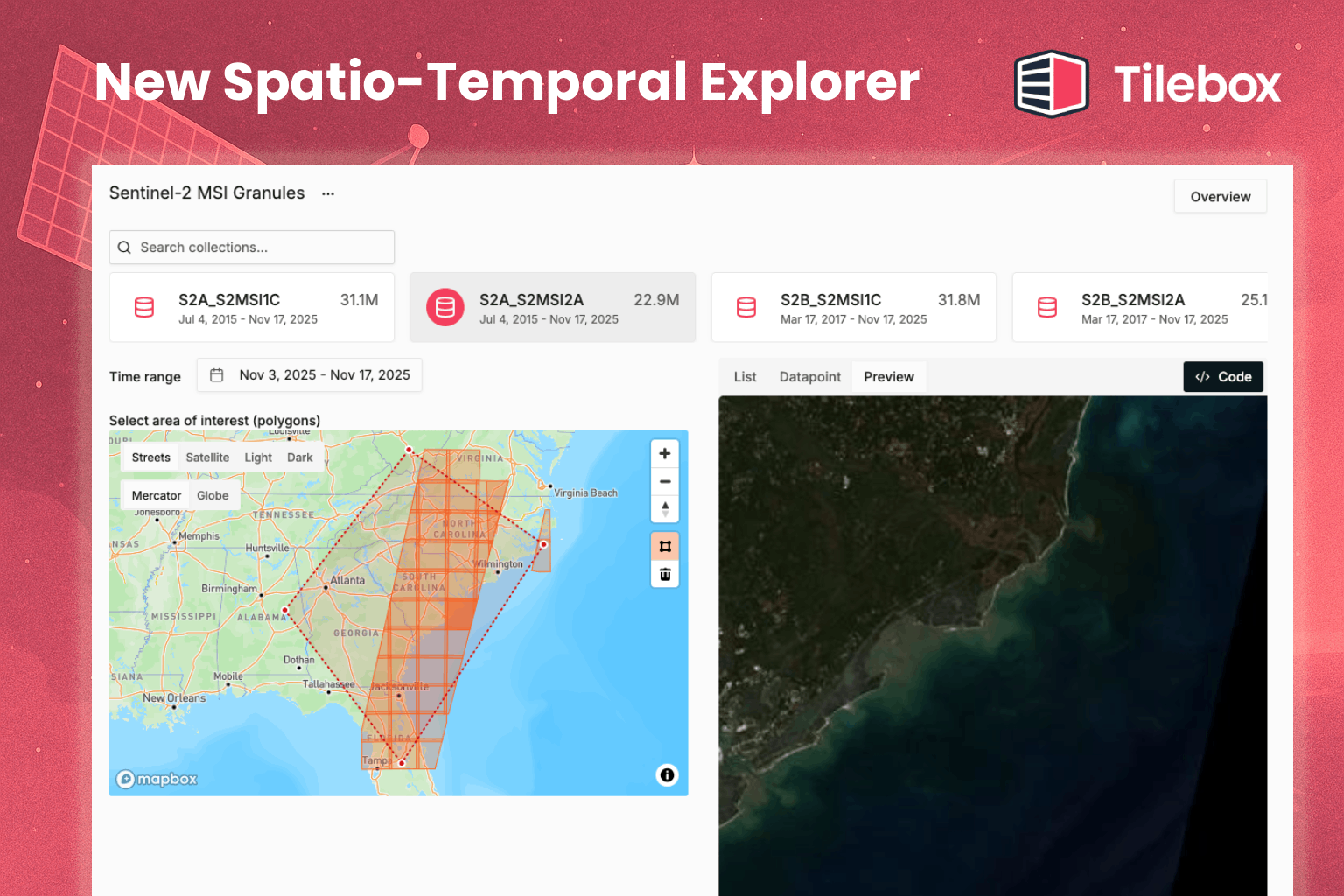 The dataset explorer in the Tilebox Console has received a major upgrade for spatio-temporal datasets:
* Overhaul of the Explorer view for Spatio-temporal datasets
* Display datapoint footprints directly on the map
* Display thumbnails and quicklooks of datapoints directly in the Console
* Added code snippet for storage access to the `Export as Code` dialog
## Progress Indicators
The dataset explorer in the Tilebox Console has received a major upgrade for spatio-temporal datasets:
* Overhaul of the Explorer view for Spatio-temporal datasets
* Display datapoint footprints directly on the map
* Display thumbnails and quicklooks of datapoints directly in the Console
* Added code snippet for storage access to the `Export as Code` dialog
## Progress Indicators
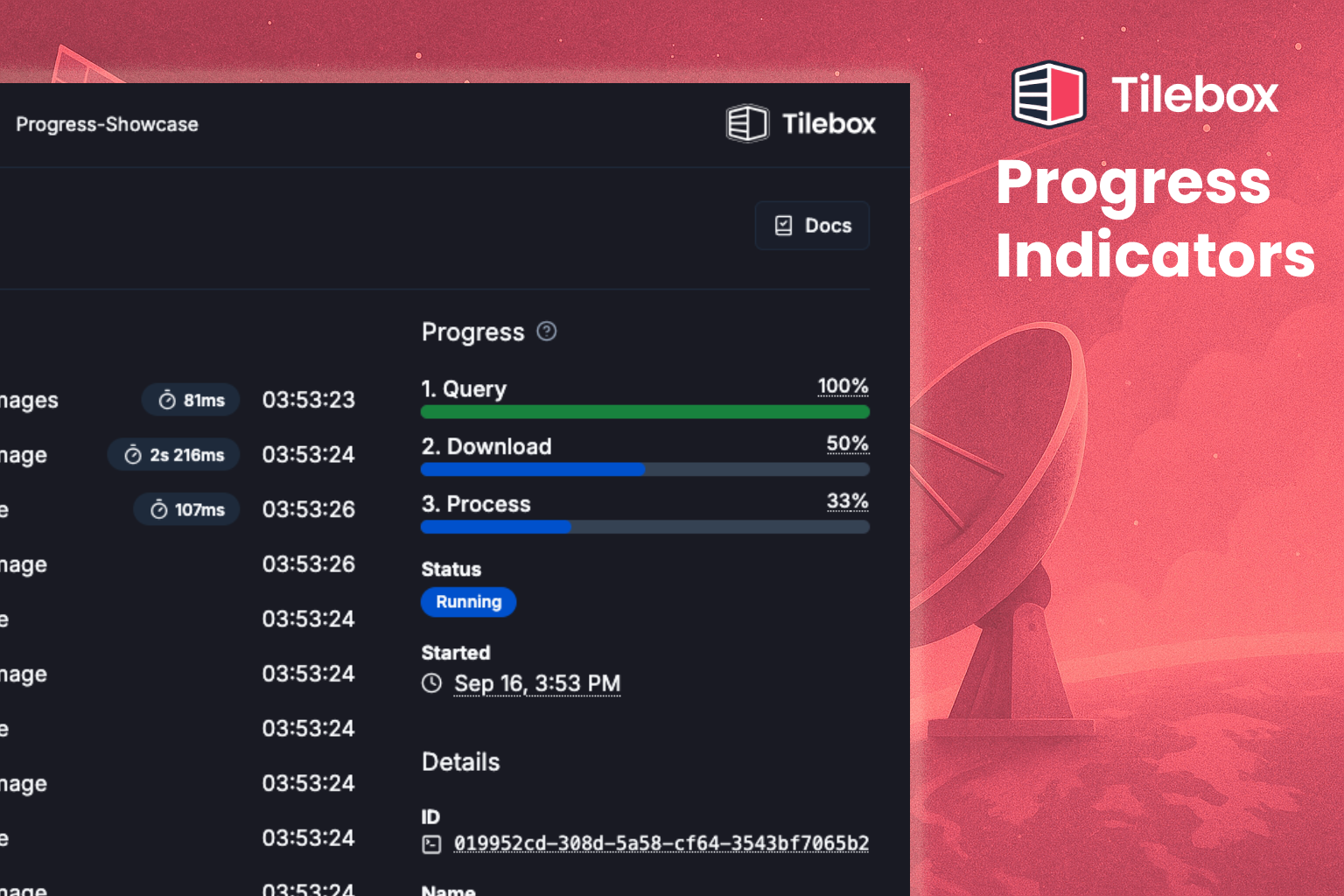 User defined progress indicators for jobs are now available. See the [progress documentation](/workflows/run-and-inspect/progress) for more details.
## Go Client
User defined progress indicators for jobs are now available. See the [progress documentation](/workflows/run-and-inspect/progress) for more details.
## Go Client
 Excited to announce the release of the Tilebox Go client!
**Features**
* Datasets client
* Statically typed dataset types
* CLI to generate dataset types
* Workflows client
* Go runners
To get started, check out the [Go SDK documentation](/sdks/go/install).
## Spatio-Temporal datasets
Excited to announce the release of the Tilebox Go client!
**Features**
* Datasets client
* Statically typed dataset types
* CLI to generate dataset types
* Workflows client
* Go runners
To get started, check out the [Go SDK documentation](/sdks/go/install).
## Spatio-Temporal datasets
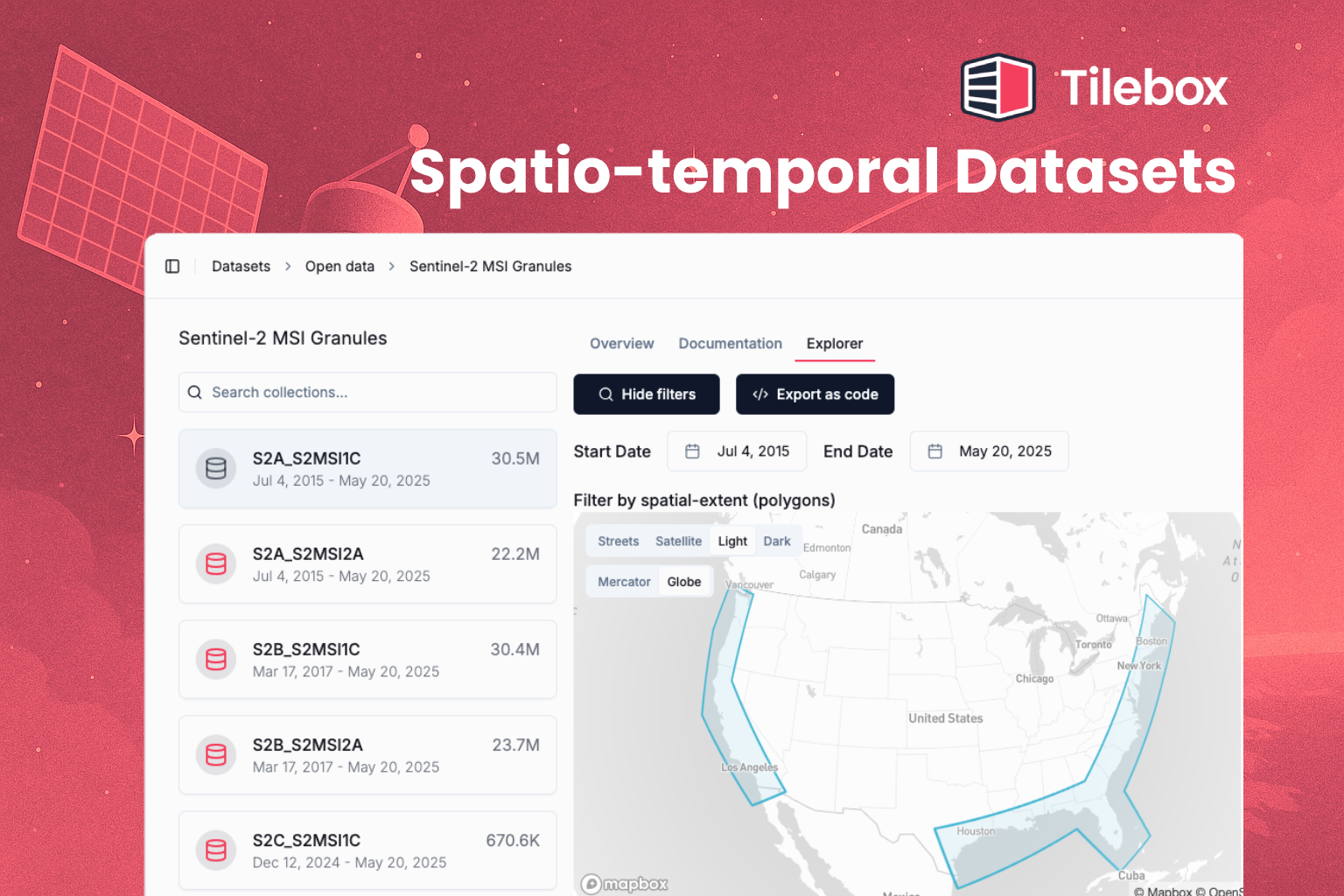 Spatio-temporal datasets are officially out, fully supported in all languages and available as a category to create in custom datasets!
The core problems that spatio-temporal datasets solve are
* finding relevant data quickly (e.g. all Sentinel 2 granules along the US coastline, last year),
* storing auxiliary geographically coded data (e.g. weather station data, ground truth data),
* cataloging higher level data and results
[Here's a short video](https://share.descript.com/view/khO3QJslhgU) on performance and core capabilities.
We're excited about this as cataloging has until now been an unsexy but hard problem, and it's great to finally have a solution out there
**More information**
* [Spatio Temporal datasets documentation](https://docs.tilebox.com/datasets/types/spatiotemporal)
* All open data now supports spatio-temporal queries
* [Create your own spatio-temporal datasets](/guides/datasets/build-spatiotemporal-catalog)
* [Ingesting spatio-temporal data](/datasets/ingest)
## Custom Datasets
Spatio-temporal datasets are officially out, fully supported in all languages and available as a category to create in custom datasets!
The core problems that spatio-temporal datasets solve are
* finding relevant data quickly (e.g. all Sentinel 2 granules along the US coastline, last year),
* storing auxiliary geographically coded data (e.g. weather station data, ground truth data),
* cataloging higher level data and results
[Here's a short video](https://share.descript.com/view/khO3QJslhgU) on performance and core capabilities.
We're excited about this as cataloging has until now been an unsexy but hard problem, and it's great to finally have a solution out there
**More information**
* [Spatio Temporal datasets documentation](https://docs.tilebox.com/datasets/types/spatiotemporal)
* All open data now supports spatio-temporal queries
* [Create your own spatio-temporal datasets](/guides/datasets/build-spatiotemporal-catalog)
* [Ingesting spatio-temporal data](/datasets/ingest)
## Custom Datasets
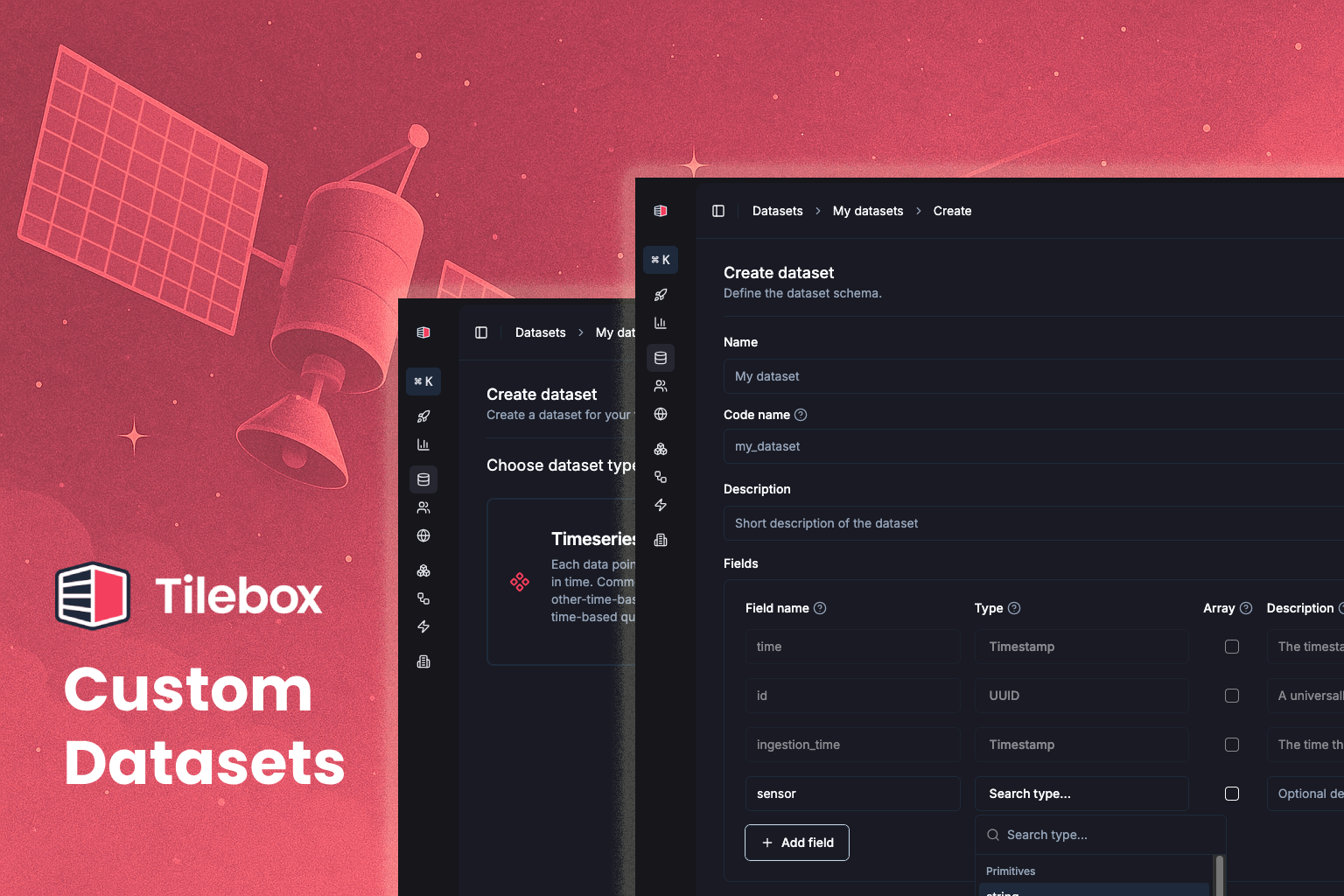 Create your own custom datasets!
* statically typed
* with clients in Python and Go
Use it to organize anything from telemetry, raw payload metadata, auxiliary sensor data, configuration data, or
internal data catalogs.
**Quickstart**
1. Specify the data type in the Console
2. Create a collection
3. Use client.ingest() to ingest a `xarray.Dataset` or `pandas.DataFrame`
4. Query away!
For detailed instructions, check out the [Build a spatio-temporal catalog](/guides/datasets/build-spatiotemporal-catalog) how-to guide.
Create your own custom datasets!
* statically typed
* with clients in Python and Go
Use it to organize anything from telemetry, raw payload metadata, auxiliary sensor data, configuration data, or
internal data catalogs.
**Quickstart**
1. Specify the data type in the Console
2. Create a collection
3. Use client.ingest() to ingest a `xarray.Dataset` or `pandas.DataFrame`
4. Query away!
For detailed instructions, check out the [Build a spatio-temporal catalog](/guides/datasets/build-spatiotemporal-catalog) how-to guide.