> ## Documentation Index
> Fetch the complete documentation index at: https://docs.tilebox.com/llms.txt
> Use this file to discover all available pages before exploring further.

# Tilebox

> One API for humans and agents to discover data, run workflows, and debug results across environments.

export const HomeSearch = () => {
  const openSearch = () => {
    const searchButton = document.querySelector("#search-bar-entry, #search-bar-entry-mobile");
    if (searchButton instanceof HTMLButtonElement) {
      searchButton.click();
      return;
    }
    const isMac = typeof navigator !== "undefined" && (/Mac|iPhone|iPad|iPod/).test(navigator.platform);
    const event = new KeyboardEvent("keydown", {
      key: "k",
      code: "KeyK",
      metaKey: isMac,
      ctrlKey: !isMac,
      bubbles: true
    });
    document.dispatchEvent(event);
    window.dispatchEvent(event);
  };
  return <button type="button" onClick={openSearch} className="mt-8 w-full rounded-xl border border-gray-200 dark:border-zinc-800 bg-white dark:bg-zinc-950 px-4 py-3 text-left shadow-sm hover:border-gray-300 dark:hover:border-zinc-700 focus:outline-none focus:ring-2 focus:ring-primary" aria-label="Search Tilebox documentation">
      <span className="flex items-center justify-between gap-3">
        <span className="flex items-center gap-3 text-gray-500 dark:text-zinc-400">
          <Icon icon="magnifying-glass" />
          <span>What do you want to build?</span>
        </span>
        <kbd className="hidden sm:inline-flex px-1.5 py-0.5 text-xs text-gray-500 dark:text-zinc-400">
          ⌘K
        </kbd>
      </span>
    </button>;
};

<div className="tilebox-home-marker hidden" aria-hidden="true" />

<div className="tilebox-landing-hero px-6 py-16 lg:pt-24">
  <div className="max-w-6xl mx-auto grid lg:grid-cols-12 gap-12 items-start">
    <div className="lg:col-span-5">
      <p className="text-sm font-semibold text-primary dark:text-primary-light uppercase tracking-wide">
        Tilebox documentation
      </p>

      <h1 className="mt-4 text-4xl lg:text-6xl font-semibold tracking-tight text-gray-950 dark:text-white">
        Start building with Tilebox
      </h1>

      <p className="mt-6 text-lg leading-8 text-gray-600 dark:text-zinc-400">
        Query Earth Data. Build, run, debug, and scale geospatial workflows across environments. One API for humans and agents.
      </p>

      <HomeSearch />

      <div className="mt-4 flex flex-wrap gap-2">
        <a className="inline-flex items-center gap-2 rounded-lg border border-gray-200 dark:border-zinc-800 px-4 py-2 text-sm font-medium text-gray-700 dark:text-zinc-300 hover:border-gray-300 dark:hover:border-zinc-700 hover:text-gray-950 dark:hover:text-white" href="/quickstart">
          <Icon icon="play" />

          Quickstart
        </a>

        <a className="inline-flex items-center gap-2 rounded-lg border border-gray-200 dark:border-zinc-800 px-4 py-2 text-sm font-medium text-gray-700 dark:text-zinc-300 hover:border-gray-300 dark:hover:border-zinc-700 hover:text-gray-950 dark:hover:text-white" href="/authentication">
          <Icon icon="key" />

          Get API Key
        </a>

        <a className="inline-flex items-center gap-2 rounded-lg border border-gray-200 dark:border-zinc-800 px-4 py-2 text-sm font-medium text-gray-700 dark:text-zinc-300 hover:border-gray-300 dark:hover:border-zinc-700 hover:text-gray-950 dark:hover:text-white" href="/guides/datasets/ingest-into-spatiotemporal-catalog">
          <Icon icon="database" />

          Ingest data
        </a>
      </div>
    </div>

    <div className="lg:col-span-7">
      <Tabs>
        <Tab title="Agent">
          <div className="tilebox-agent-chat" aria-label="Example agent chat prompt">
            <div className="tilebox-agent-chat-message">
              <div className="tilebox-agent-chat-avatar" aria-hidden="true">
                <Icon icon="user" iconType="regular" />
              </div>

              <div className="tilebox-agent-chat-content">
                <div className="tilebox-agent-chat-meta">You</div>

                <div className="tilebox-agent-chat-bubble">
                  <p>
                    Build a reproducible Tilebox workflow that starts with a user-provided CSV of known data centers and then:
                  </p>

                  <ul>
                    <li>Finds cloud-free Sentinel-2 imagery over a target lat/lon in a time window</li>
                    <li>Reads the relevant band products and crops scenes to a 3km area around the target</li>
                    <li>Computes the cloud fraction for the cropped area and filters out scenes > 1%</li>
                    <li>Compares before/after by scoring visible change based on suitable metrics</li>
                    <li>Creates a datacenter site ranking based on score</li>
                  </ul>

                  <p>
                    Use the provided Tilebox skills to research datasets, access storage, outline the workflow, and then implement it. Deploy and run on our GCP cluster, in case of failures inspect runner logs and iterate on the workflow.
                  </p>
                </div>
              </div>
            </div>

            <a className="tilebox-agent-chat-composer" href="/onboard-your-agent">
              <span>Ask your agent to build with Tilebox…</span>
              <span className="tilebox-agent-chat-send">↵</span>
            </a>
          </div>
        </Tab>

        <Tab title="CLI">
          <div className="tilebox-cli-window" aria-label="Tilebox CLI example">
            <div className="tilebox-cli-controls" aria-hidden="true">
              <span className="tilebox-cli-control tilebox-cli-control-red" />

              <span className="tilebox-cli-control tilebox-cli-control-yellow" />

              <span className="tilebox-cli-control tilebox-cli-control-green" />
            </div>

            <div className="tilebox-cli-code">
              ```bash CLI wrap theme={"system"}
              curl -fsSL https://install.tilebox.com/cli.sh | sh

              tilebox dataset query
                open_data.copernicus.sentinel2_msi
                --last 7d
                --spatial-extent 'POLYGON((-109 41,-109 37,-102 37,-102 41,-109 41))'
                --limit 10

              tilebox job submit
                --name "Datacenter Monitoring"
                --task "ComputeVisibleChange"
                --input "{\"before\": \"2024-06-01\", \"after\": \"2026-06-01\"}"
                --cluster gcp-Drv6L7Li4t7Yvk
              ```
            </div>
          </div>
        </Tab>

        <Tab title="Python">
          ```python runner.py lines theme={"system"}
          from tilebox.datasets import Client
          from tilebox.workflows import ExecutionContext, Runner, Task

          class ComputeVisibleChange(Task):
            before: str
            after: str

            def execute(self, context: ExecutionContext):
              sentinel2 = Client().dataset(
                "open_data.copernicus.sentinel2_msi"
              )
              scenes = sentinel2.collection("S2A_S2MSI1A").query(
                  temporal_extent=(before, after),
              )
              context.logger.info("Found scenes", n=len(scenes.granule_name))
              context.submit_subtasks([
                ProcessScene(str(name) for name in scenes.granule_name)
              ])

          runner = Runner(tasks=[ComputeVisibleChange])
          ```
        </Tab>

        <Tab title="Go">
          ```go main.go lines theme={"system"}
          type ComputeVisibleChange struct {
              Before time.Time
              After  time.Time
          }

          func (t *ComputeVisibleChange) Execute(ctx context.Context) error {
              client := datasets.NewClient()
              dataset, _ := client.Datasets.Get(ctx, "open_data.copernicus.sentinel2_msi")
              collection, _ := client.Collections.Get(ctx, dataset.ID, "S2A_S2MSI1C")

              var scenes []*examplesv1.Sentinel2Msi
              _ = client.Datapoints.QueryInto(ctx, dataset.ID, &scenes,
                  datasets.WithCollections(collection),
                  datasets.WithTemporalExtent(query.NewTimeInterval(t.Before, t.After)),
              )

              slog.InfoContext(ctx, "Found scenes", slog.Int("n", len(scenes)))
              for _, scene := range scenes {
                  _, _ = workflows.SubmitSubtask(ctx, &ProcessScene{
                      Name: scene.GetGranuleName(),
                  })
              }
              return nil
          }
          ```
        </Tab>
      </Tabs>
    </div>
  </div>
</div>

<div className="px-6 pb-16">
  <div className="max-w-6xl mx-auto">
    <p className="text-sm font-semibold text-primary dark:text-primary-light uppercase tracking-wide">
      Get started
    </p>

    <h2 className="mt-3 text-3xl font-semibold tracking-tight text-gray-950 dark:text-white">
      Choose how you build
    </h2>

    <p className="mt-4 text-lg leading-8 text-gray-600 dark:text-zinc-400 max-w-2xl">
      Use Tilebox directly as a developer, or give an agent the same tools and documentation context so it can operate Tilebox for you.
    </p>

    <div className="mt-10 grid lg:grid-cols-2 gap-6">
      <div className="border border-gray-200 dark:border-zinc-800 bg-white dark:bg-zinc-950 overflow-hidden">
        <div className="tilebox-mode-card-preview flex items-center justify-center border-b border-gray-200 dark:border-zinc-800">
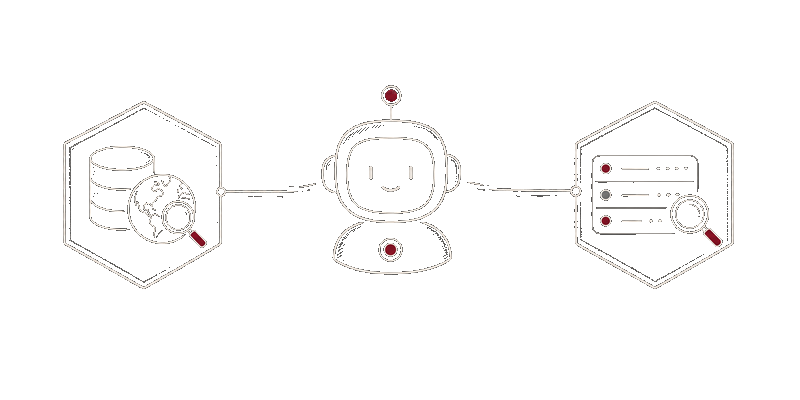
          <img src="https://mintcdn.com/tilebox/OG82l42M6WXqYPhQ/assets/landing/agent-mode-light.png?fit=max&auto=format&n=OG82l42M6WXqYPhQ&q=85&s=18b496d36ddaaa01521f932f3ce91e33" alt="Agent connected to Earth data and workflow observability tools" className="tilebox-mode-card-image dark:hidden" width="800" height="400" data-path="assets/landing/agent-mode-light.png" />

          <img src="https://mintcdn.com/tilebox/OG82l42M6WXqYPhQ/assets/landing/agent-mode-dark.png?fit=max&auto=format&n=OG82l42M6WXqYPhQ&q=85&s=3f737a5f81d6df387bb64d93c8e61768" alt="Agent connected to Earth data and workflow observability tools" className="tilebox-mode-card-image hidden dark:block" width="800" height="400" data-path="assets/landing/agent-mode-dark.png" />
        </div>

        <div className="p-8">
          <h3 className="text-2xl font-semibold tracking-tight text-gray-950 dark:text-white">
            Use an agent
          </h3>

          <p className="mt-3 text-gray-600 dark:text-zinc-400 leading-7">
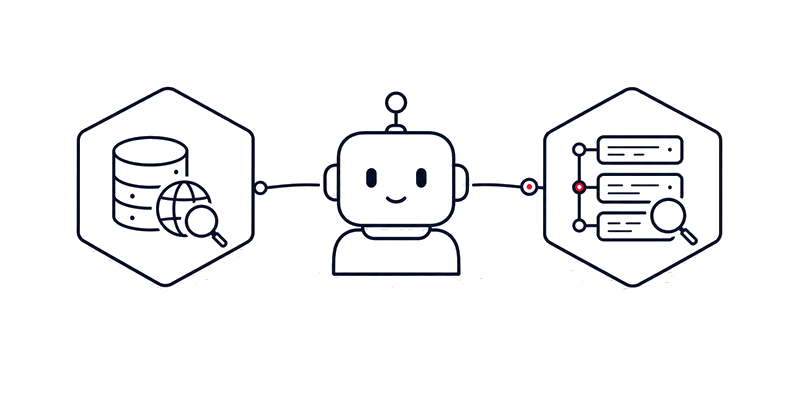
            Configure a coding agent with the Tilebox CLI, agent skills, and optional MCP access. Agents can inspect datasets, write workflow code, submit jobs, and debug runs with Tilebox context.
          </p>

          <div className="mt-8 space-y-4">
            <a className="flex items-center gap-3 text-sm font-medium text-gray-700 dark:text-zinc-300 hover:text-gray-950 dark:hover:text-white" href="/onboard-your-agent">
              <Icon icon="play" />

              Onboard your agent
            </a>

            <a className="flex items-center gap-3 text-sm font-medium text-gray-700 dark:text-zinc-300 hover:text-gray-950 dark:hover:text-white" href="/guides/workflows/agentic-workflow-iteration">
              <Icon icon="book" />

              Create and deploy workflows
            </a>

            <a className="flex items-center gap-3 text-sm font-medium text-gray-700 dark:text-zinc-300 hover:text-gray-950 dark:hover:text-white" href="/agents-and-ai-tools/tilebox-mcp">
              <Icon icon="plug" />

              Connect with MCP
            </a>
          </div>
        </div>
      </div>

      <div className="border border-gray-200 dark:border-zinc-800 bg-white dark:bg-zinc-950 overflow-hidden">
        <div className="tilebox-mode-card-preview flex items-center justify-center border-b border-gray-200 dark:border-zinc-800">
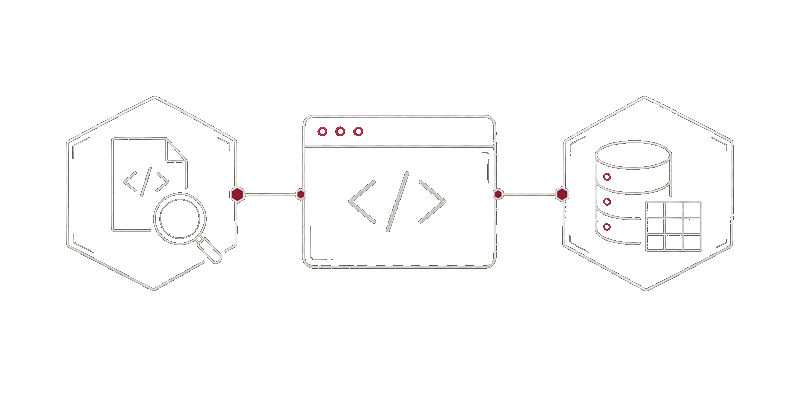
          <img src="https://mintcdn.com/tilebox/OG82l42M6WXqYPhQ/assets/landing/developer-mode-light.png?fit=max&auto=format&n=OG82l42M6WXqYPhQ&q=85&s=c31bea5c7a3e510a923142573cfc5a23" alt="Developer terminal connected to code debugging and dataset tools" className="tilebox-mode-card-image dark:hidden" width="800" height="400" data-path="assets/landing/developer-mode-light.png" />

          <img src="https://mintcdn.com/tilebox/OG82l42M6WXqYPhQ/assets/landing/developer-mode-dark.png?fit=max&auto=format&n=OG82l42M6WXqYPhQ&q=85&s=ca71a30b193d5f32f9271e1f3b364911" alt="Developer terminal connected to code debugging and dataset tools" className="tilebox-mode-card-image hidden dark:block" width="800" height="400" data-path="assets/landing/developer-mode-dark.png" />
        </div>

        <div className="p-8">
          <h3 className="text-2xl font-semibold tracking-tight text-gray-950 dark:text-white">
            Build as a developer
          </h3>

          <p className="mt-3 text-gray-600 dark:text-zinc-400 leading-7">
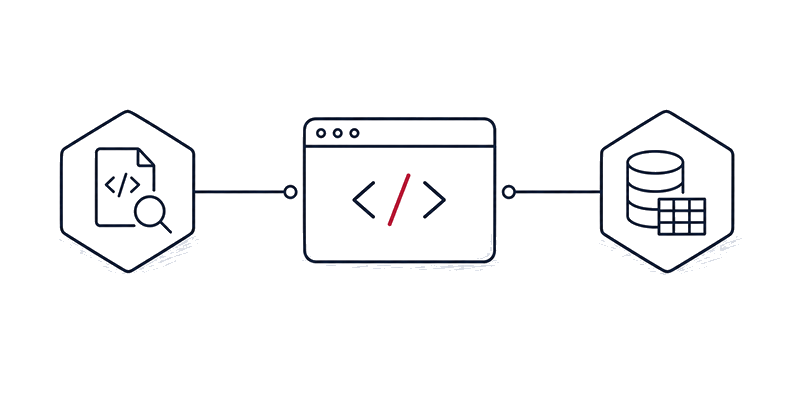
            Use the Console, Python SDK, Go SDK, and CLI to query data, ingest your own catalogs, create workflow tasks, and run them across your infrastructure.
          </p>

          <div className="mt-8 space-y-4">
            <a className="flex items-center gap-3 text-sm font-medium text-gray-700 dark:text-zinc-300 hover:text-gray-950 dark:hover:text-white" href="/quickstart">
              <Icon icon="play" />

              Quickstart
            </a>

            <a className="flex items-center gap-3 text-sm font-medium text-gray-700 dark:text-zinc-300 hover:text-gray-950 dark:hover:text-white" href="/sdks/introduction">
              <Icon icon="code" />

              Choose an SDK
            </a>

            <a className="flex items-center gap-3 text-sm font-medium text-gray-700 dark:text-zinc-300 hover:text-gray-950 dark:hover:text-white" href="/api-reference/python/tilebox.datasets/Client">
              <Icon icon="book" />

              API reference
            </a>
          </div>
        </div>
      </div>
    </div>
  </div>
</div>

<div className="px-6 py-16 bg-gray-50 dark:bg-zinc-950 border-y border-gray-200 dark:border-zinc-800">
  <div className="max-w-6xl mx-auto">
    <p className="text-sm font-semibold text-primary dark:text-primary-light uppercase tracking-wide">
      Learn
    </p>

    <h2 className="mt-3 text-2xl font-semibold tracking-tight text-gray-950 dark:text-white">
      Explore the platform
    </h2>

    <p className="mt-3 text-gray-600 dark:text-zinc-400 max-w-3xl">
      Start from the outcome you need. Tilebox combines typed data access, workflow execution on your infrastructure, and shared observability for people and agents working on geospatial systems.
    </p>

    <div className="mt-8">
      <Columns cols={2}>
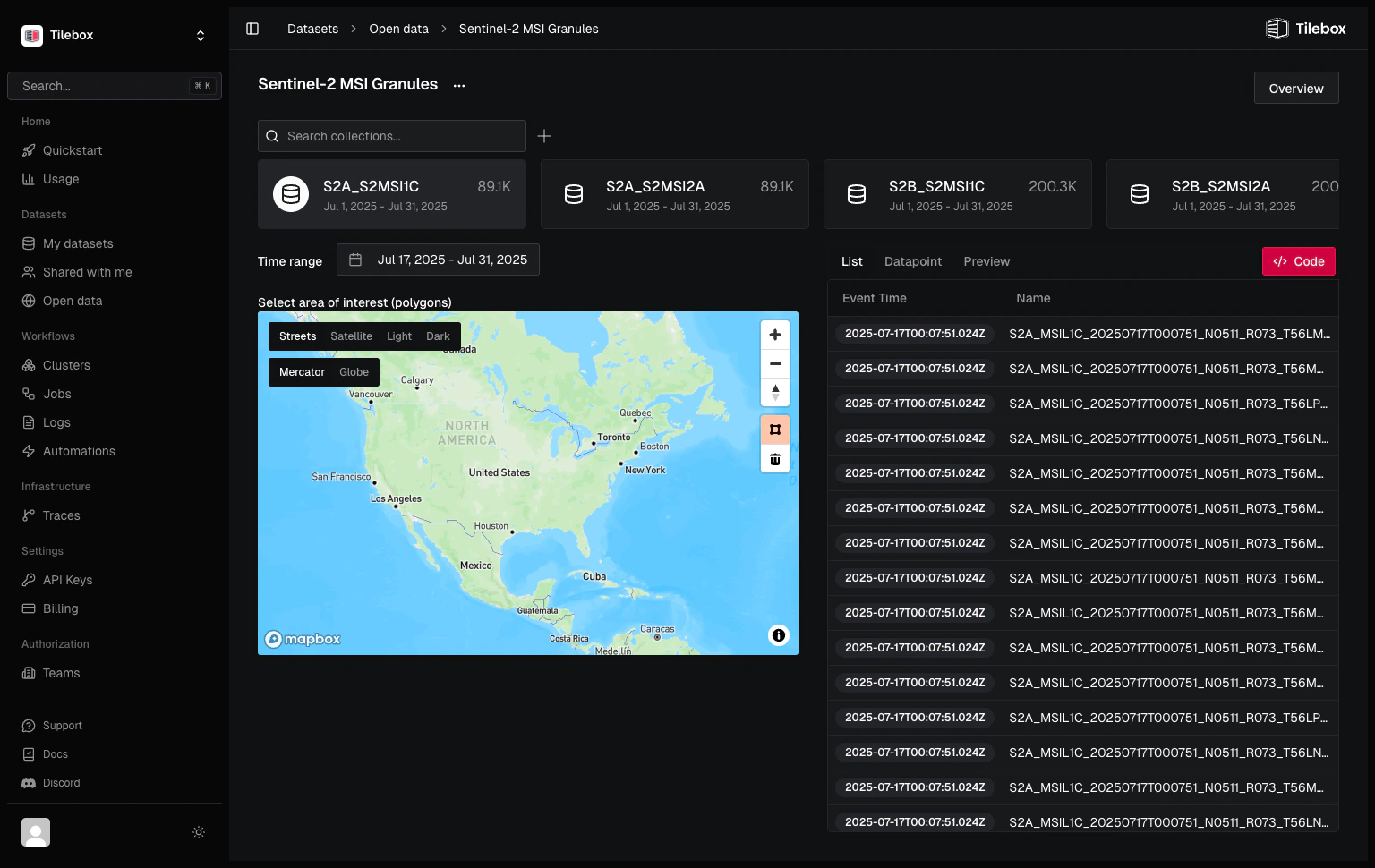
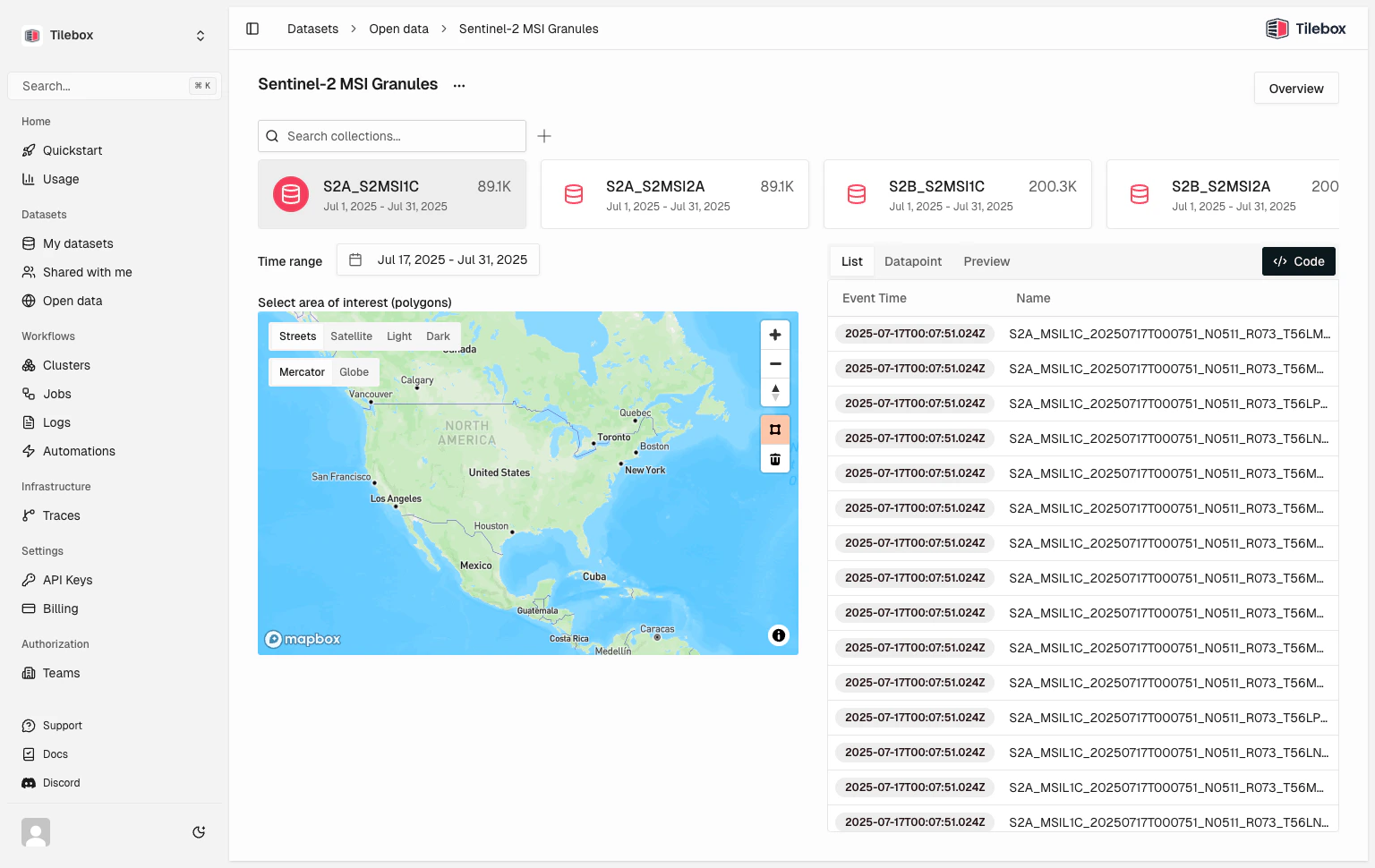
        <Tile href="/datasets/query/querying-data" title="Query satellite data" description="Search typed datasets by time, location, collection, or datapoint ID.">
          <img src="https://mintcdn.com/tilebox/TYquvc9froFIydg1/assets/console/datasets-explorer-light.png?fit=max&auto=format&n=TYquvc9froFIydg1&q=85&s=25163d0ab91baee40d610995d4681d47" alt="Tilebox dataset explorer" className="block dark:hidden" width="1536" height="970" data-path="assets/console/datasets-explorer-light.png" />

          <img src="https://mintcdn.com/tilebox/TYquvc9froFIydg1/assets/console/datasets-explorer-dark.png?fit=max&auto=format&n=TYquvc9froFIydg1&q=85&s=f8a17599cec9041dc1d2e93efc34933c" alt="Tilebox dataset explorer" className="hidden dark:block" width="1536" height="970" data-path="assets/console/datasets-explorer-dark.png" />
        </Tile>

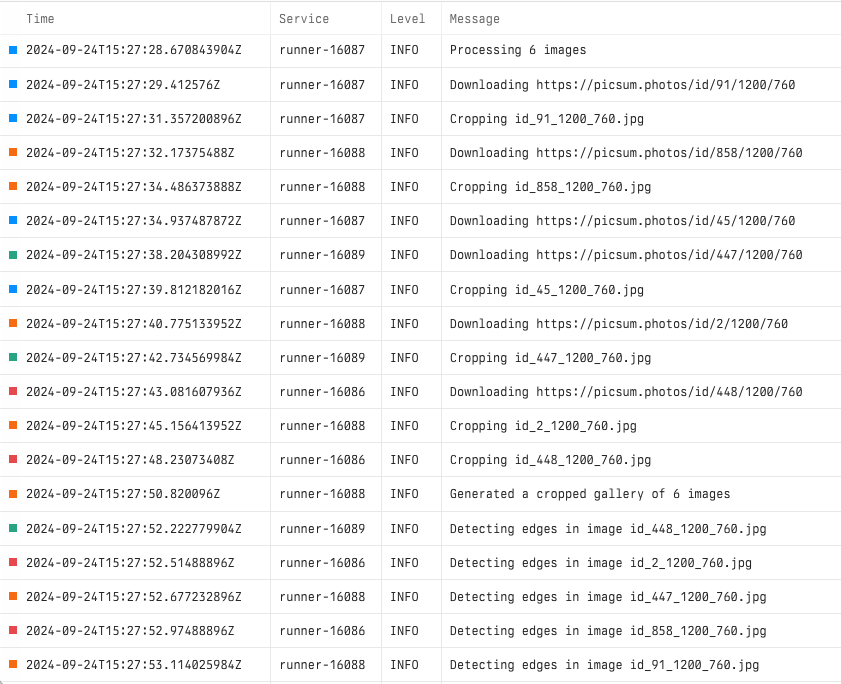
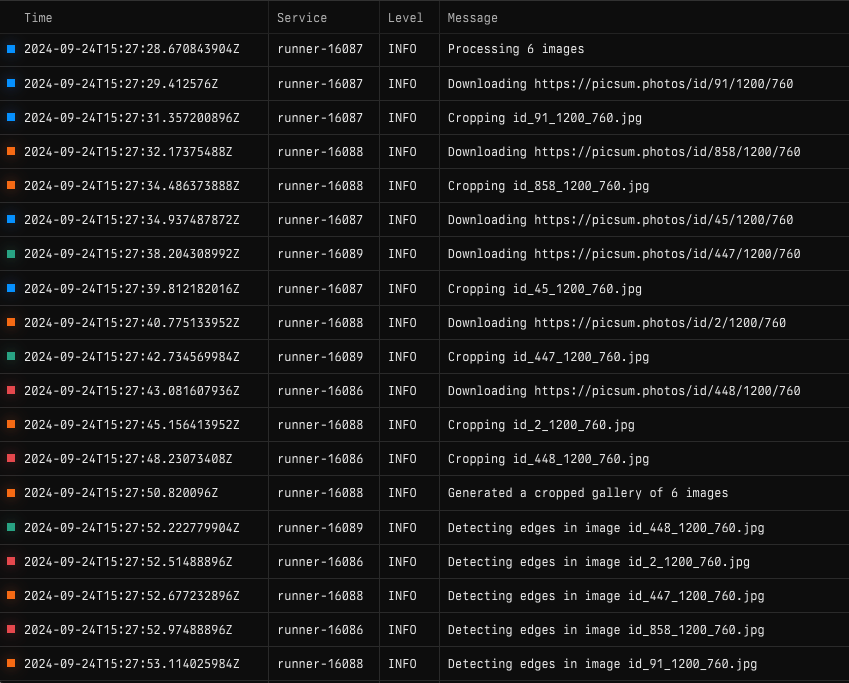
        <Tile href="/workflows/run-and-inspect/introduction" title="Inspect workflow runs" description="Use logs, traces, progress, and job state to debug workflows and verify results.">
          <img src="https://mintcdn.com/tilebox/9yPiIuCV-2WPK6fa/assets/workflows/observability/logs-light.png?fit=max&auto=format&n=9yPiIuCV-2WPK6fa&q=85&s=068fa329d5ba74113d4505d20d8a58b0" alt="Workflow logs in Tilebox Console" className="block dark:hidden" width="841" height="684" data-path="assets/workflows/observability/logs-light.png" />

          <img src="https://mintcdn.com/tilebox/9yPiIuCV-2WPK6fa/assets/workflows/observability/logs-dark.png?fit=max&auto=format&n=9yPiIuCV-2WPK6fa&q=85&s=71b48623b4832591e536cd48d1c84830" alt="Workflow logs in Tilebox Console" className="hidden dark:block" width="849" height="683" data-path="assets/workflows/observability/logs-dark.png" />
        </Tile>

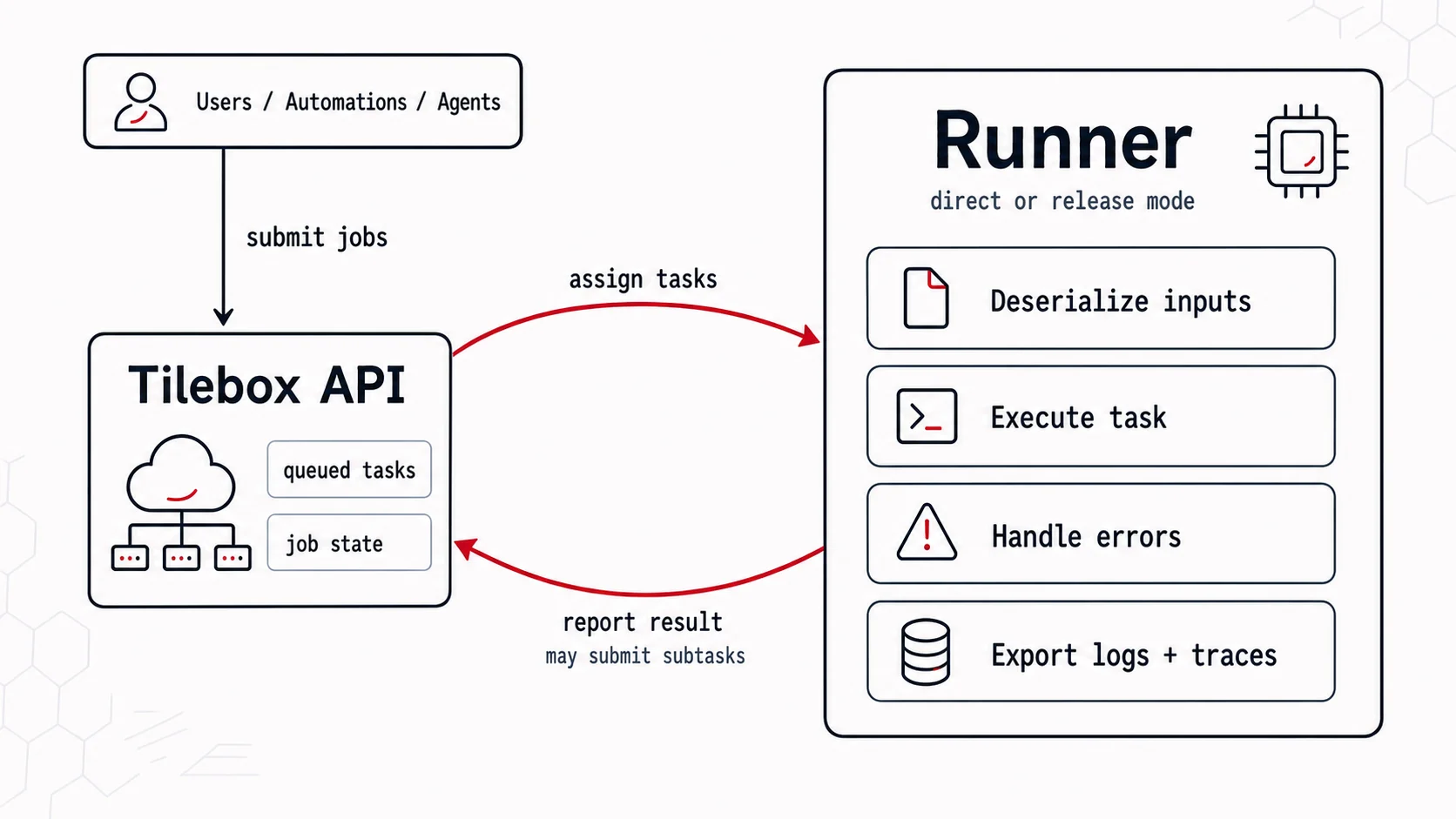
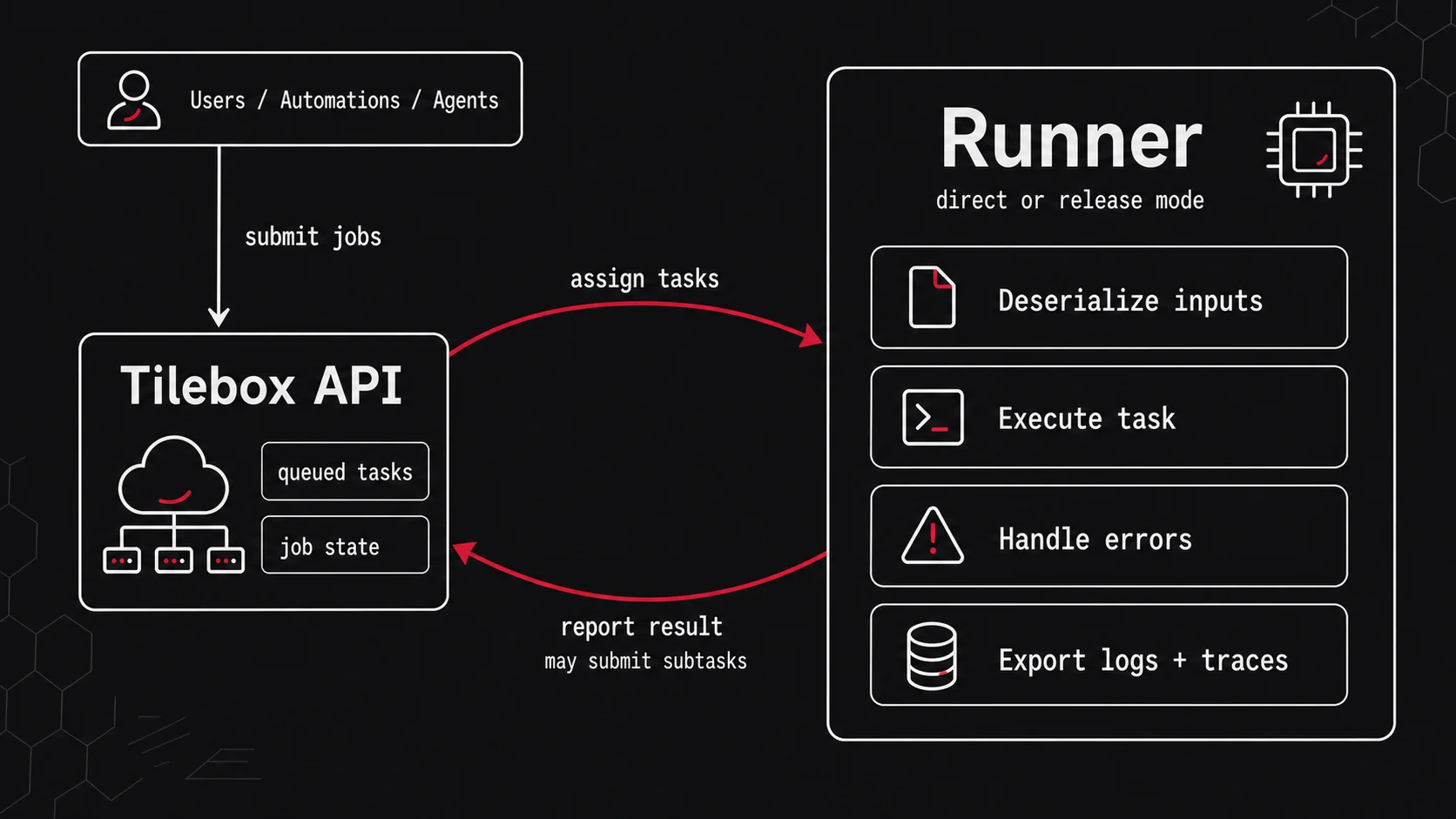
        <Tile href="/workflows/concepts/runners" title="Deploy to your own compute" description="Connect runners to your own infrastructure and control where workflow tasks execute.">
          <img src="https://mintcdn.com/tilebox/8Hd5jKc7vBRiEF-C/assets/workflows/runners/runner-architecture-light.png?fit=max&auto=format&n=8Hd5jKc7vBRiEF-C&q=85&s=c8112daafaf53c463d515b2a74b9080e" alt="Tilebox runner architecture" className="block dark:hidden" width="1672" height="941" data-path="assets/workflows/runners/runner-architecture-light.png" />

          <img src="https://mintcdn.com/tilebox/8Hd5jKc7vBRiEF-C/assets/workflows/runners/runner-architecture-dark.png?fit=max&auto=format&n=8Hd5jKc7vBRiEF-C&q=85&s=4486b736ee1884379be1b1f97dee6af1" alt="Tilebox runner architecture" className="hidden dark:block" width="1672" height="941" data-path="assets/workflows/runners/runner-architecture-dark.png" />
        </Tile>

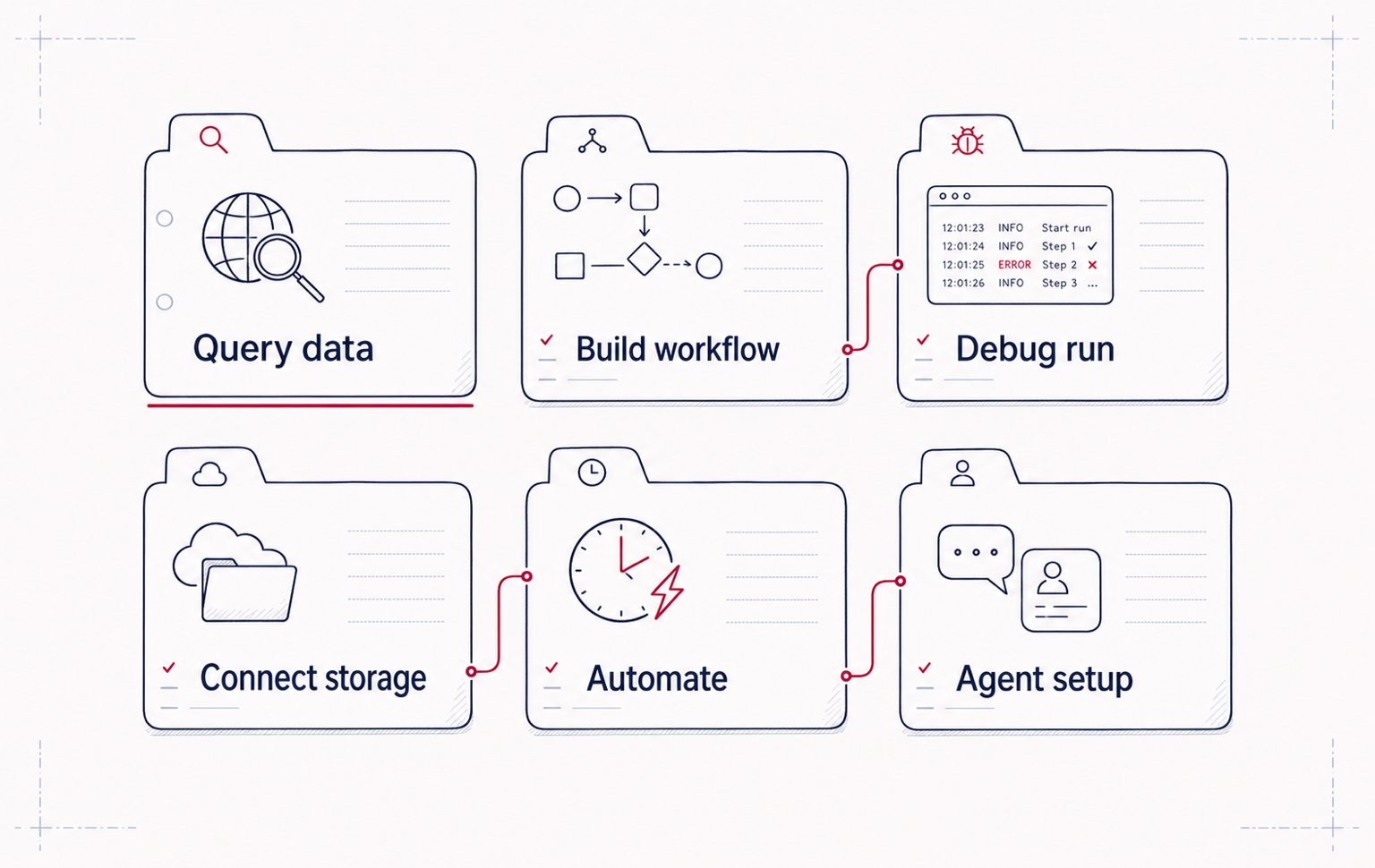
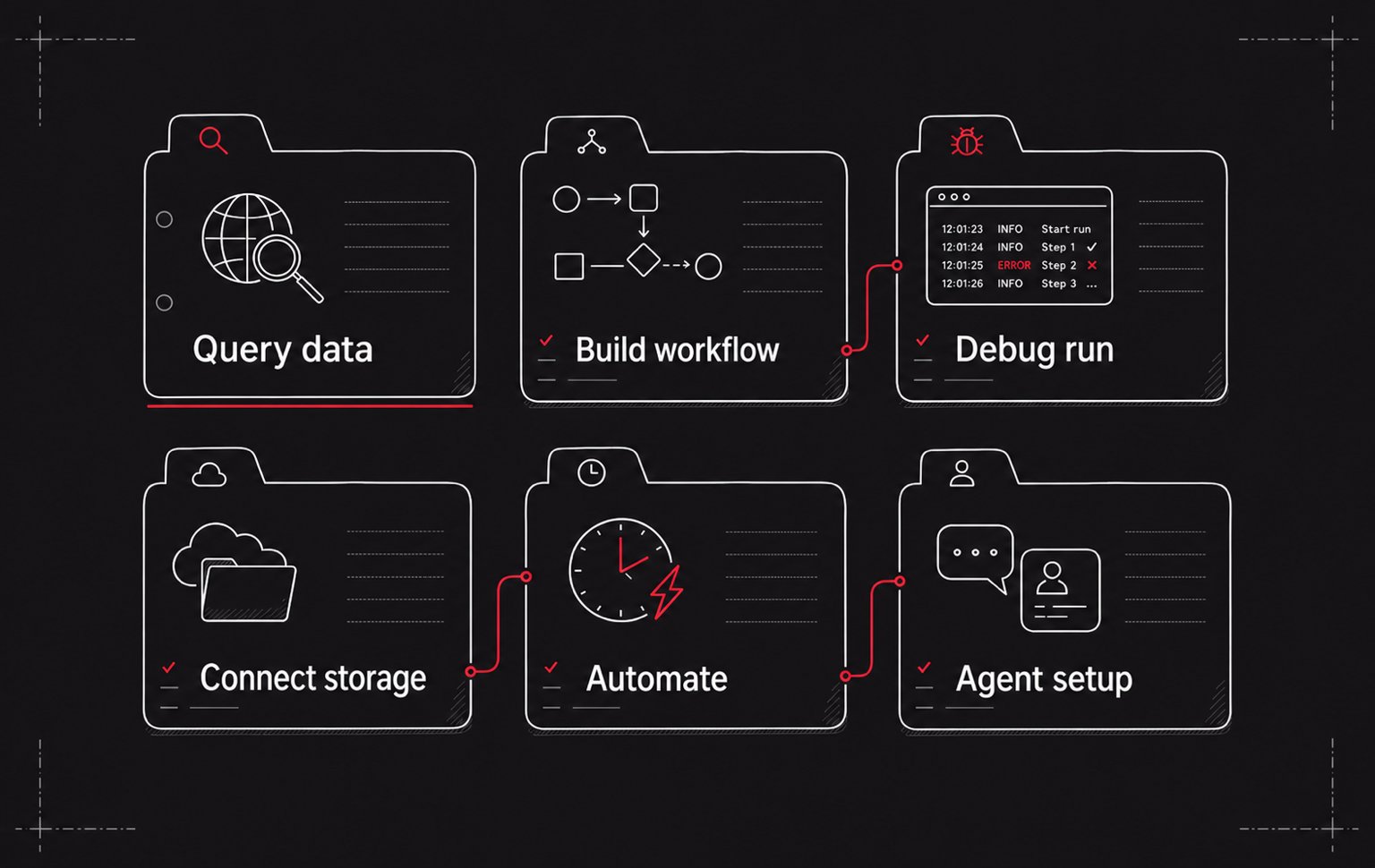
        <Tile href="/guides/cookbook" title="Browse practical recipes" description="Find task-focused guides for querying data, building workflows, connecting storage, and operating Tilebox.">
          <img src="https://mintcdn.com/tilebox/dxHaiozQkO1TMxd3/assets/landing/cookbook-recipes-light.png?fit=max&auto=format&n=dxHaiozQkO1TMxd3&q=85&s=363190a288b4f3b85f447d22f04b9699" alt="Recipe cards for common Tilebox guides" className="block dark:hidden" width="1536" height="970" data-path="assets/landing/cookbook-recipes-light.png" />

          <img src="https://mintcdn.com/tilebox/dxHaiozQkO1TMxd3/assets/landing/cookbook-recipes-dark.png?fit=max&auto=format&n=dxHaiozQkO1TMxd3&q=85&s=9e685b161b8edcb053bd3f1bfec6bbba" alt="Recipe cards for common Tilebox guides" className="hidden dark:block" width="1536" height="970" data-path="assets/landing/cookbook-recipes-dark.png" />
        </Tile>
      </Columns>
    </div>

    <div className="mt-8">
      <Columns cols={3}>
        <Card title="Run a workflow" icon="diagram-project" href="/workflows/introduction" horizontal />

        <Card title="Connect storage" icon="folder-open" href="/datasets/storage/clients" horizontal />

        <Card title="Ingest data" icon="database" href="/guides/datasets/ingest-into-spatiotemporal-catalog" horizontal />

        <Card title="Sample notebooks" icon="book-open" href="/sdks/python/sample-notebooks" horizontal />

        <Card title="Spatio-temporal datasets" icon="globe" href="/datasets/types/spatiotemporal" horizontal />

        <Card title="Jobs" icon="diagram-project" href="/workflows/concepts/jobs" horizontal />
      </Columns>
    </div>
  </div>
</div>

<div className="px-6 pb-20">
  <div className="max-w-6xl mx-auto rounded-2xl p-8 bg-white dark:bg-zinc-950">
    <p className="text-sm font-semibold text-primary dark:text-primary-light uppercase tracking-wide">
      Scale
    </p>

    <h2 className="mt-3 text-2xl font-semibold tracking-tight text-gray-950 dark:text-white">
      From query to operational pipelines
    </h2>

    <p className="mt-3 text-gray-600 dark:text-zinc-400 max-w-3xl">
      Start with open data or your own catalogs, turn processing steps into tasks, and run them where your data and infrastructure already live.
    </p>

    <div className="mt-8">
      <Steps>
        <Step title="Discover and query data">
          Query open datasets or your own custom Tilebox datasets by time, area of interest, collection, or datapoint ID.
        </Step>

        <Step title="Build workflow tasks">
          Turn processing steps into workflow tasks that can submit subtasks, report progress, use caches, and emit logs and traces.
        </Step>

        <Step title="Prototype locally">
          Develop with local runners, iterate quickly, and prototype your geospatial workflows.
        </Step>

        <Step title="Deploy to your own compute">
          Run workflows across cloud, on premise, sovereign, air-gapped, or edge environments while Tilebox tracks jobs and distributes work for parallel execution.
        </Step>

        <Step title="Inspect and iterate">
          Query job state, logs, spans, and progress from the Console, SDKs, CLI, or agent tools.
        </Step>
      </Steps>
    </div>
  </div>
</div>