Documentation Index
Fetch the complete documentation index at: https://docs.tilebox.com/llms.txt
Use this file to discover all available pages before exploring further.
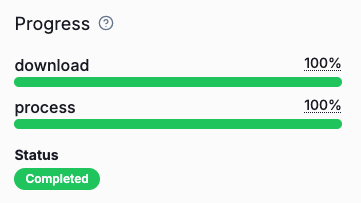
Tilebox supports user-defined progress indicators during the execution of a job. This can be useful to provide visibility into the execution and the expected duration of a job, especially for longer running jobs.
Tracking Progress
Progress indicators in Tilebox use a done / total model. Tasks can increase a total value to specify the total work to be done, and the same or any other task can increase a done counter to track the amount of work that has already been completed.
Progress tracking is always done at a task level. Each task can report its progress updates, as increases in done and total independently, and the job’s total progress is the sum of all tasks’ progress.
from tilebox.workflows import Task, ExecutionContext
class ProgressRootTask(Task):
n: int
def execute(self, context: ExecutionContext) -> None:
# report that 10 units of work need to be done
context.progress().add(self.n)
for _ in range(self.n):
context.submit_subtask(ProgressSubTask())
class ProgressSubTask(Task):
def execute(self, context: ExecutionContext) -> None:
# report that one unit of work has been completed
context.progress().done(1)
Multiple Progress Indicators
A job can have multiple independent progress indicators. This is useful when a job consists of multiple steps, that each benefits from having its own progress indicator.
To create a new progress indicator, call context.progress(name) with a unique name for the indicator.
class MultiProgressWorkflowRoot(Task):
n: int
def execute(self, context: ExecutionContext) -> None:
# initialize a progress indicator for the finalize task
context.progress("finalize").add(1)
process = context.submit_subtask(Process(self.n))
context.submit_subtask(Cleanup(), depends_on=[process])
class Process(Task):
n: int
def execute(self, context: ExecutionContext) -> None:
# initialize two progress indicators for the two steps,
# with a total work of n for each
context.progress("step1").add(self.n)
context.progress("step2").add(self.n)
# now submit N subtasks for the two steps
for _ in range(self.n):
step1 = context.submit_subtask(Step1())
context.submit_subtask(Step2(), depends_on=[step1])
class Step1(Task):
def execute(self, context: ExecutionContext) -> None:
# 1 unit of work for step1 is done
context.progress("step1").done(1)
class Step2(Task):
def execute(self, context: ExecutionContext) -> None:
# 1 unit of work for step2 is done
context.progress("step2").done(1)
class Finalize(Task):
def execute(self, context: ExecutionContext) -> None:
# finalize is done
context.progress("finalize").done(1)
Querying Progress
At any time during a job’s execution, you can query the current progress of a job using the find method on the job client. The returned job object contains a progress field that contains the current progress of the job.
job = job_client.find(job_id)
for indicator in job.progress:
print(f"{indicator.label}: {indicator.done}/{indicator.total}")
finalize: 1/1
step1: 4/4
step2: 4/4
Progress Display in interactive environments
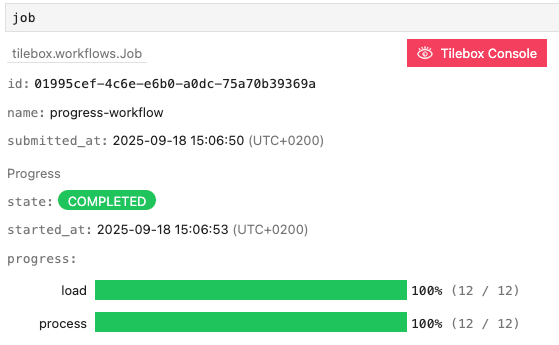
When running in an interactive environment such as a Jupyter notebook and the cell output is a Tilebox job object, the
job is automatically rendered, including its progress indicators.
job = job_client.find(job_id)
job # trigger notebook cell output
Progress idempotency
Since tasks may fail and can subsequently be retried, it’s possible that a task is executed more than once. This means that a task may report progress more than once.
To avoid double-counting such progress updates, Tilebox only considers the progress reported by the last execution of a task.